
Coming soon to iPhone
Stew turns “what's for dinner?” into a five-minute job — recipes, planning and the shopping list, all in one shared family app.
See how it worksFree to join · No credit card required
Tonight's recipe
Dinner,
solved.
Never wonder what's for dinner again. Plan the week, share the list, eat well.

The method
How Stew works
From recipes to the supermarket in four simple steps.
Save or import recipes
Add recipes by hand or paste a URL from any cooking website. Stew extracts the ingredients and method automatically.
Plan the week together
Drag meals on to days, browse the family recipe book and let everyone vote on what they fancy.
Generate the shopping list
One tap turns your meal plan into a categorised shopping list. Duplicate ingredients merge automatically.
Keep the family in sync
Every change is shared in real time. Tick items off in the supermarket and the whole family sees it.
The ingredients
Everything your family needs
Shared family cookbook
Save and organise recipes everyone can browse, add to and rely on.
Weekly meal planning
Drag meals onto days, navigate the calendar, plan as far ahead as you like.
Smart shopping lists
Auto-built from your plan. Quantities merge across recipes automatically.
Family meal voting
Everyone thumbs-up what they fancy, so dinner is never a solo decision.
Recipe import
Paste a URL from any cooking site — Stew pulls in the ingredients and method.
Activity and notifications
Stay in the loop the moment the plan or shopping list changes.
Plan dinner in minutes,
not hours.
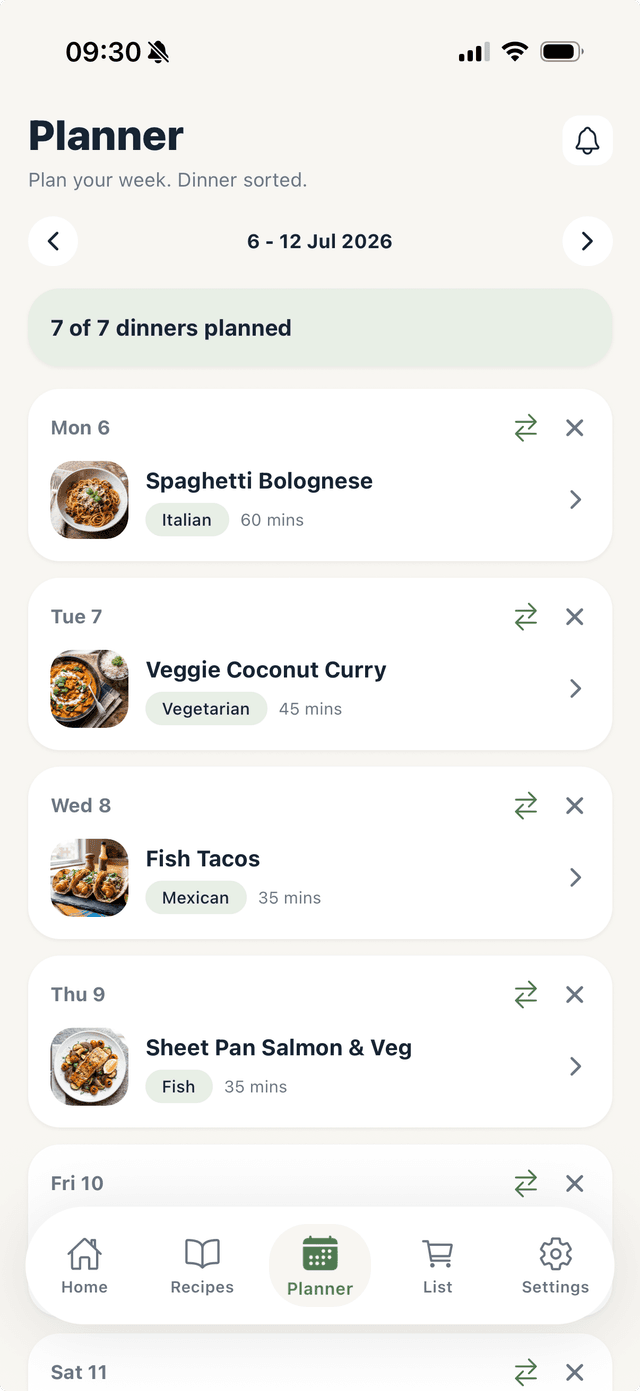
A clean weekly view lets you see the whole week at a glance. Drag meals around, spot the gaps and fill them from your recipe collection — all without leaving the planner.
- ✓See tonight's dinner on the dashboard
- ✓Drag and drop to reorganise the week
- ✓Tap any day to pick a recipe
Inside the app
Take a look inside
A few of the screens you'll use every week.
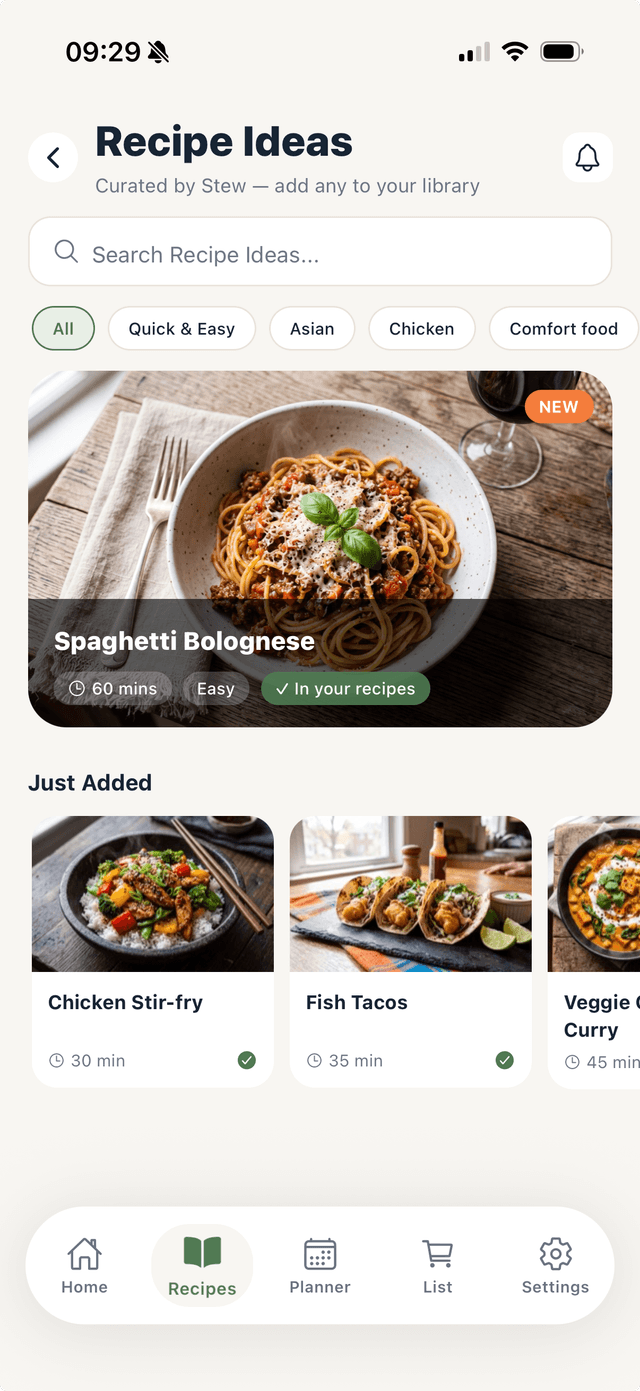
Browse recipe ideas
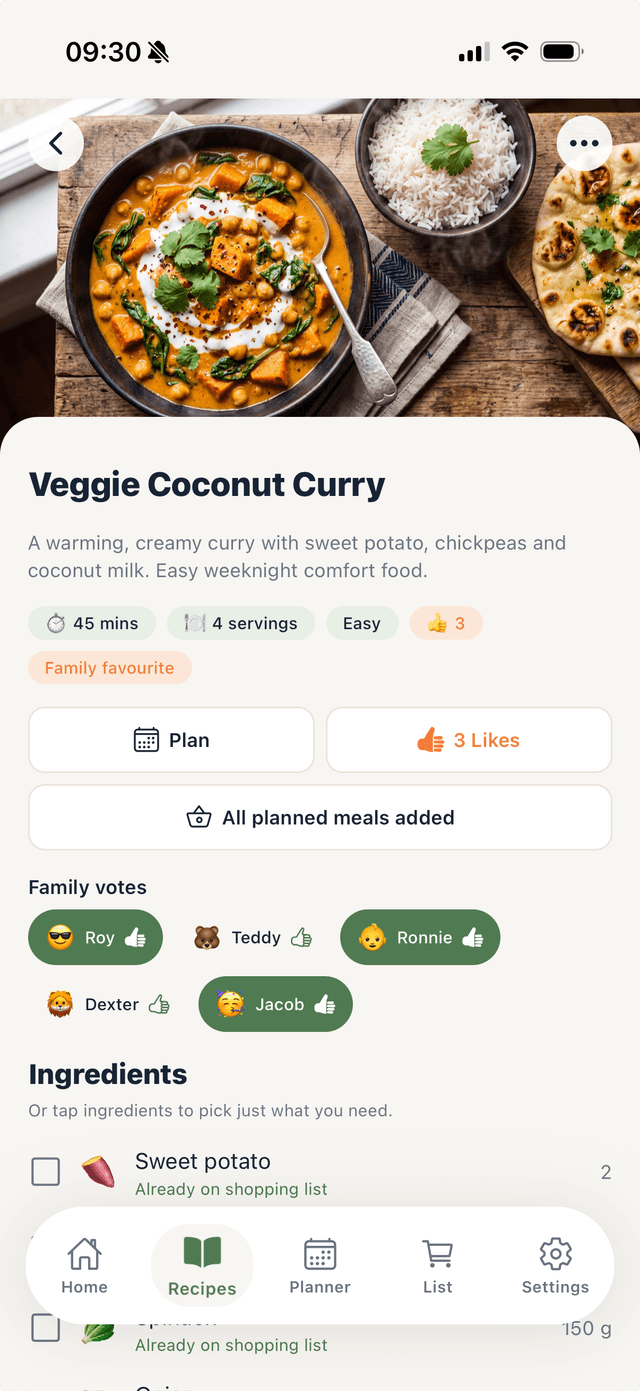
See ingredients & family votes
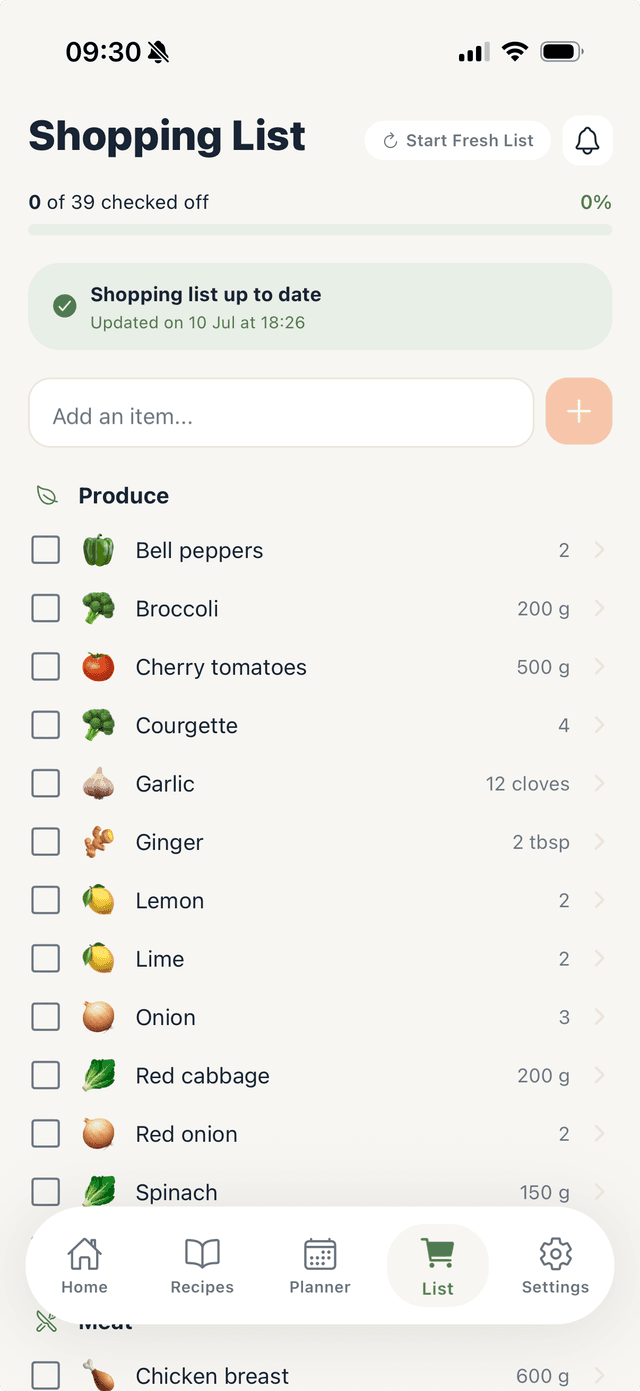
Shop with a synced list
Built for families
Meal planning as a team sport.
Stew is designed for households. Everyone has a role, and the whole family stays in sync without anyone needing to chase anyone else.
One account, whole family
Create a family in Stew and invite everyone. Recipes, meal plans and shopping lists are shared automatically.
Invite via QR code or link
Share a unique invite link or scan a QR code to bring family members on board in seconds.
Roles and permissions
Admins control what each member can do. Children can vote on meals; adults can plan and shop — you choose.
Real-time updates
When someone adds a recipe, updates the plan or ticks off a shopping item, everyone sees it straight away.

Last step
Add Stew to this week's menu.
Join the waiting list and we'll let you know the moment it's ready.